Embedded Linux: From Toolchain to Product
Full syllabus · EMB-100 · Embedded Linux, BSP & Real-Time · Practitioner
The complete embedded Linux product course: build the system with Buildroot and Yocto, write its applications and Qt interface, then ship it with fast boot and atomic updates.
Take this syllabus with you
Save the complete syllabus as a PDF now, open the dated quote & approval pack for procurement, or leave your work email for cohort date openings.
Who this course is for
Embedded engineers who must own the whole product: build the system with Buildroot and Yocto, write the applications and the Qt touch interface that run on it, and ship it so it survives the field. Also the right first complete Linux system course for developers moving from bare-metal or RTOS work.
Prerequisites
- Working C (C++ reading comfort for the Qt day; a guided refresher is built in)
- Comfortable in a Linux shell
- KRN-101 systems-programming topics help but are recapped where used
Course outline
Day 1 — Architecture, toolchains, boards & the boot chain
- Embedded Linux architecture: bootloader, kernel, rootfs, applications; toolchains and cross-compiling; setting up the board and serial console
- Boot chain basics: U-Boot and a TF-A overview; kernel configuration and Device Tree for an embedded target; SD and network boot
Day 2 — Root filesystems & Buildroot in depth
- Root filesystems, BusyBox and init systems; flash storage: eMMC, NAND/UBI, squashfs and overlay strategies
- Buildroot in depth: external trees, packages, image generation, SDKs — a reproducible product build
Day 3 — Yocto Project & BSP layers
- Yocto architecture, BitBake execution and layers; building and booting a first image
- Recipes, bbappends, classes and devtool; debugging builds with bitbake -e, devshell and log analysis
- Custom BSP layers, machine configuration and MACHINE_FEATURES; kernel and U-Boot recipes; WIC image assembly
- Distro layers, SDK generation and SPDX SBOM output; shared-state caches, CI integration and LTS upgrade strategy; licensing obligations; the Buildroot vs Yocto decision for a ten-year product
Day 4 — Embedded Linux application development
- Lighting an LED — the complete first device program: the two ways applications control hardware (sysfs/character-device I/O vs memory-mapped registers, and why the first wins); how LED hardware is controlled (GPIO level, current, Device Tree node); writing the LED application; testing on the development board
- GPIO application programming with libgpiod v2: how the application layer controls GPIO (character device, line requests, bias and drive); GPIO output; GPIO input with polling and edge waits; GPIO interrupts as edge events with debounce strategy; testing on the board
- Input-device application programming: the input subsystem from the application side; reading struct input_event; verifying on the board; key/button application programming; touchscreen application programming (absolute axes, multitouch slots); mouse application programming
- Touch libraries: what tslib is and where it still fits; porting/building tslib for the target; the tslib API (ts_open, filtering, calibration); writing a touchscreen application on tslib — then the modern evdev/libinput path and how to choose; the device model that ties it together (/dev, sysfs, udev rules, IIO sensors)
- Framebuffer application programming: what a framebuffer is; LCD fundamentals (timings, pixel formats, stride); LCD application programming (mmap, FBIOPUT_VSCREENINFO discipline); exercises — basic LCD operations and displaying a BMP image; the DRM/KMS equivalents (modesetting, dumb buffers, page flips) and when fbdev is still acceptable
- Displaying JPEG on the LCD: the JPEG format; libjpeg (libjpeg-turbo) introduction; building/porting libjpeg for the target with CMake; libjpeg usage in depth (decompress objects, scanlines, colour conversion); a complete JPEG display application; summary
- Displaying PNG on the LCD: the PNG format; libpng introduction; building zlib; building libpng; libpng usage (rows, palettes, alpha); a complete PNG display application with alpha blending
- Landscape to portrait: how rotation really works (coordinate transforms, stride and touch-axis remapping); worked sample code for rotated rendering and input
- Displaying text on the LCD: the raw way — extracting dot-matrix glyphs; FreeType introduction; building FreeType for the target; using the FreeType API (faces, glyphs, hinting, caching); worked sample code with CJK and Latin faces
- V4L2 camera application programming: V4L2 concepts (devices, formats, controls); writing the capture application (mmap buffer queue, DQBUF/QBUF discipline); the full practicum — live preview to the display with frame pacing
- PWM application programming: how the application layer controls PWM (sysfs PWM class and character-device futures); writing the application (period, duty cycle, polarity, backlight and motor cases); testing on the board
- Serial (UART) application programming: concepts (baud-rate maths, framing, flow control); the termios practicum — raw mode, timeouts with VMIN/VTIME and poll; testing on the board against a real peripheral
- Watchdog application programming: concepts (timeout, keepalive, boot-status flags); the practicum — a supervised daemon that pets, logs and deliberately hangs
- Audio application programming with ALSA: ALSA architecture overview; alsa-lib introduction; sound device nodes under /dev/snd; building alsa-lib for the target; a first simple alsa-lib application; asynchronous playback/capture; poll()-driven audio; PCM device states and xrun recovery; mixer (control) settings; the loopback test routine; summary
- CAN application programming: CAN bus fundamentals (frames, arbitration, error states); SocketCAN application programming (raw and BCM sockets, filters); the practicum — bus-off recovery and a candump-style tool of your own; networking recap applied on target (addressing, TCP service behaviour on lossy links)
- MQTT IoT project, end to end: MQTT concepts; the protocol in depth I (CONNECT, QoS levels, retained messages); first hands-on against a broker; the protocol in depth II (last will, sessions, keepalive); porting the MQTT client library (Paho/Mosquitto) to the target; the client API in full; writing the telemetry/control client; live demonstration against the lab fleet
- Video-surveillance project, end to end: system design (capture → encode → stream → view); porting and building Nginx with the RTMP module for the target; testing the Nginx server; configuring Nginx for streaming (RTMP/HLS, authentication); pushing the camera stream with FFmpeg (V4L2 input, H.264 encode budget on small SoCs, keyframe and bitrate discipline)
- Shipping the application layer: systemd unit design and sandboxing for every service built this week, structured logging, gdbserver and perf debugging on target, and one CMake project cross-built against both Yocto and Buildroot SDKs in CI
Day 5 — Qt 6 HMI on the target, fast boot, OTA & field survival
- Writing C++ on Ubuntu and C++ foundations for Qt work: what C++ is next to C; environment setup (GCC/Clang, CMake); a first C++ program with the debugger; the new language features that matter (C++17 value semantics, smart pointers, lambdas, RAII); object-oriented C++ as Qt's object model expects it
- First contact with Qt: what Qt is (modules, meta-object system, licensing in plain terms); choosing a Qt version — the Qt 6 LTS decision; installing Qt on Windows hosts; installing Qt on Linux hosts; Qt Creator in first use; your first Qt program built, run and debugged
- Developing with Qt Designer (.ui files, uic, promoted widgets) and signals and slots completely: the mechanism and meta-object compiler; creating signals; creating slots; connecting them (functor connections, contexts, queued connections); using the signals and slots Qt classes give you; Qt Creator shortcuts and the integrated help system
- Qt Widgets in full: buttons; input widgets; display widgets; browser-style display with QTextBrowser; layout management; spacers and stretch; containers; model-based item views; item-based widget groups — then the Qt Quick/QML bridge: bindings, C++ backends, list models fed by live data, touch-first navigation, the same screens both ways
- Text file reading/writing (QFile, QTextStream, power-cut-safe patterns); drawing and charts (QPainter paths/transforms, Qt Charts/QML graphs for telemetry); multithreading (QThread subclassing and why you usually should not; QObject workers with moveToThread; queued delivery as the synchronisation model)
- Network programming (QNetworkInterface/QHostInfo, QTcpSocket/QTcpServer, QUdpSocket multicast, QNetworkAccessManager download application); Qt Multimedia (architecture, QSoundEffect, music player, video player, QAudioSource recording); databases with Qt SQL (drivers, SQLite applied example with models bound to views)
- Qt development for the ARM SoC target: cross-compiling from the command line (CMake toolchains against Yocto meta-qt6 and Buildroot SDKs); the Qt Creator cross kit (sysroot, remote deploy and debug); eglfs, linuxfb and Wayland compositors; rotation and multi-screen
- Device integration labs, each resource brief → implementation → on-board result: Qt controlling an LED; Qt controlling a buzzer/BEEP (PWM tones); Serial Port with QSerialPort; CAN Bus with QCanBus; Camera with Qt Multimedia (environment setup, viewfinder overlays); USB Bluetooth with Qt Bluetooth (discovery, pairing, GATT); USER-KEY board keys as UI input; the AP3216C light/proximity sensor; the ICM20608 six-axis IMU (application interface, attitude display)
- The five product projects as guided builds: (1) smart-home IoT — hardware survey, Wi-Fi module test, cloud-platform connection, UI development, cloud API in full, integrated test; (2) speech-recognition front-end — cloud account, recognition flow, short-audio API, WAV recording on target, voice UI, integrated test; (3) app launcher home screen — swipeable paged interface, app-grid UI, integrated test; (4) licence-plate recognition terminal — service signup, plate API from Qt, integrated test; (5) video surveillance — system flow diagram, server side, Qt multi-view client, integrated test; appendix clinics on profiling, kiosk lockdown and field diagnostics
- Measuring boot time across the whole chain — then cutting it: bootloader, kernel, init, userspace; read-only rootfs with overlay state separation; A/B layouts and power-fail safety with hardware watchdogs
- Signed A/B OTA with RAUC, SWUpdate and Mender: health checks, automatic rollback, fleet operations — including updating the HMI and applications built this week
Hands-on labs
- Lab: a full Buildroot system on an STM32MP1 or BeagleBone; SD and network boot, then deploying an application
- Lab: a custom Yocto BSP layer for a lab board, a kernel patch through devtool, and an SDK plus generated SBOM
- Lab: a libgpiod button-and-LED daemon with timed debounce running as a systemd service
- Lab: camera-to-LCD preview — V4L2 capture rendered through DRM/KMS with on-screen FreeType text
- Lab: a SocketCAN sensor gateway forwarding frames to MQTT with last-will presence
- Lab: a QML dashboard reading a live IIO sensor, plus an MQTT smart-home control panel under eglfs
- Lab: a read-only rootfs with writable overlay; boot time cut measurably, stage by stage
- Lab: an A/B update with automatic rollback on failed health checks — then pull the power mid-update
Capstone project
Ship a working device: a reproducible system image (Buildroot and Yocto variants), a networked board application sensing and publishing real data, a Qt HMI on its screen, a defended boot-time budget and a signed A/B update story whose rollback you have watched work.
After the course you can
- Build, boot, and connect every layer of an embedded Linux stack from U-Boot to userspace
- Maintain reproducible Buildroot and Yocto builds: external trees, BSP layers, SDKs and SPDX SBOMs that survive LTS upgrades
- Drive GPIO, input, display, camera, audio, CAN and serial hardware from clean userspace C with the modern library for each
- Architect and cross-deploy Qt 6 Widgets/QML interfaces wired to real device hardware without blocking the GUI thread
- Measure and cut boot time stage by stage, then deploy signed A/B OTA updates with proven rollback
Dates & delivery
| Dates | Where | Early bird | Regular | |
|---|---|---|---|---|
| 17 Jan – 21 Jan 202710 half-days | Gulf bandLive online · 14:00–18:00 GST | US$1,660until 18 Dec | ||
| 4 Apr – 8 Apr 20275 full days | Kuwait CityIn person · Central Kuwait City (venue confirmed on booking) | US$2,340until 5 Mar |
Cohorts run with 4+ confirmed seats — you will know 14 days before the start whether yours goes ahead.
Book a seat, or bring this course to your team
Seats can be reserved online; private delivery runs on-site or live online, adapted to your stack.
More in Embedded Linux, BSP & Real-Time
 EMB-201Advanced · 3 days
Board Bring-Up: TF-A, U-Boot & Device Tree
The boot chain on real hardware: Arm64 boot flow, DDR init, U-Boot porting and the Device Tree for a board that does not exist yet.
from US$1,450Next 21 Mar 2027View course →
 RTL-101Advanced · 3 days
PREEMPT_RT & Real-Time Linux
Get deterministic latency from mainline Linux — and prove it with measurements that survive review.
from US$1,300Next 22 Mar 2027View course →
 RTL-220Practitioner · 3 days
Real-Time Robotics with ROS 2
Robot software that runs on real hardware: ROS 2 on top, deterministic control loops underneath.
from US$1,300Next 18 Jul 2027View course →
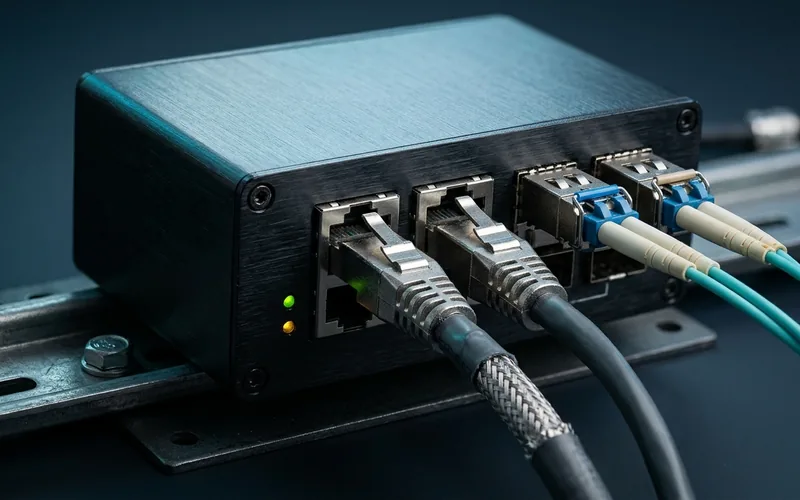 RTL-210Advanced · 3 days
Industrial Fieldbus, EtherCAT & TSN
Deterministic distributed networking: EtherCAT masters, PTP and TSN. Needs TSN/EtherCAT hardware per seat — delivered as a private cohort.
Custom team quoteCustom team datesView course →
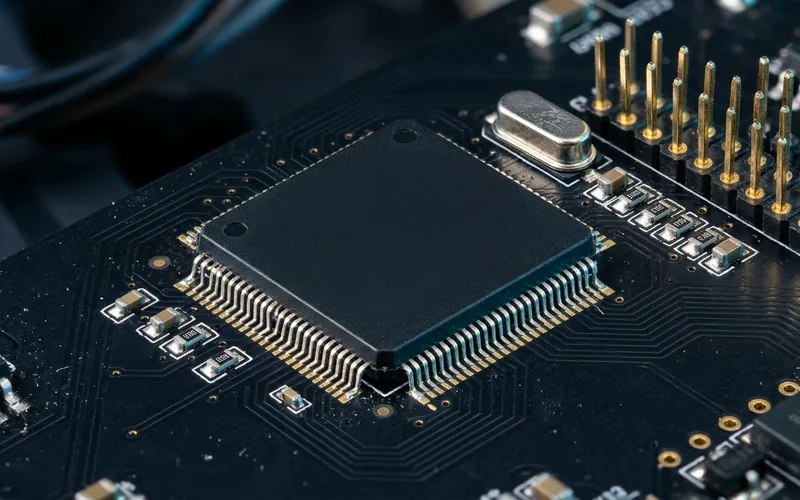 FRM-101Foundation · 4 days
Bare-Metal C, Peripherals, RTOS & Secure Firmware Update
From the reset vector to a field-updatable product: bare-metal firmware, an RTOS port, and signed updates that cannot brick the device.
from US$1,660Next 19 Apr 2027View course →
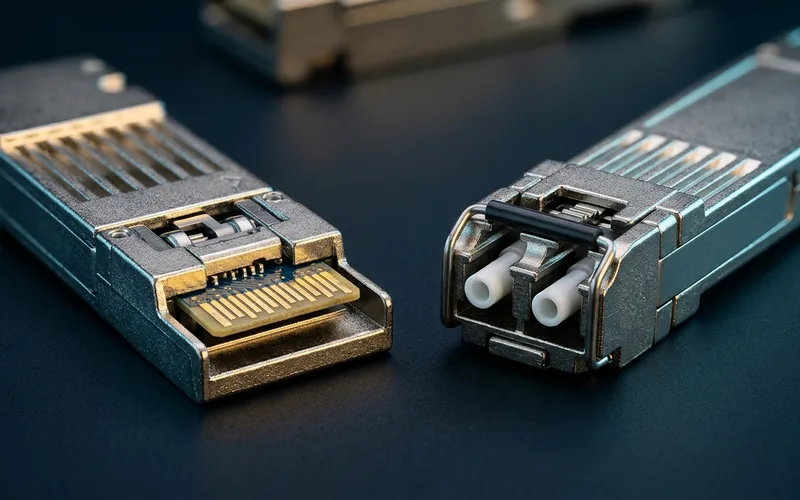 FRM-210Advanced · 3 days
CMIS & Optical Module Firmware
Firmware for pluggable optical modules: the CMIS management interface and the state machines behind it. A niche telecom OEM topic — private cohort on request.
Custom team quoteCustom team datesView course →
Questions about fit or prerequisites? Email [email protected]. To save this syllabus, print this page to PDF from your browser.